Offline 3-Month Web Designing Course for Tricity Students

3 Months Web Designing Training in Mohali & Chandigarh

Build structured web-design skills through HTML5, CSS3, responsive design, Bootstrap, JavaScript basics, UI/UX fundamentals, Figma, GitHub, hosting basics and a starter portfolio website at Zestminds Academy’s Mohali campus.

This program is suitable for beginners, students, freshers and career switchers who want stronger HTML/CSS practice, responsive layouts, interactive website sections, design-to-code understanding and guided project exposure.

Location: Mohali Campus — Serving Chandigarh Tricity
Duration: 3 Months
Fee: Confirm current fee during counselling
Batches: 10 AM–1 PM / 2 PM–5 PM

Suitable for B.Tech, BCA, MCA and diploma students, final-year students, beginners, freshers, career switchers and learners exploring web designing, UI/UX and frontend development basics.

HTML5 & CSS3

Build semantic pages, reusable styles, Flexbox, Grid basics and clean layouts.

Responsive Bootstrap

Create mobile-first pages, responsive navbars, cards, forms and multi-section layouts.

JavaScript Basics

Practice DOM events, show/hide interactions, form messages and small UI features.

Figma, GitHub & Project

Plan layouts in Figma, upload work to GitHub and build a starter portfolio website.

What You Will Learn Month by Month

The program progresses from strong HTML/CSS foundations to responsive layouts, JavaScript interactions, Figma, GitHub and a starter portfolio project.

Month 1

HTML5, CSS3 & Layout Foundation

Build clean page structures and stronger styling habits before moving into full responsive layouts.

Month 2

Responsive Design, Bootstrap & JavaScript

Build responsive sections and add beginner-level interactions to practical website layouts.

Month 3

UI/UX, Figma, GitHub & Portfolio Project

Connect layout planning, design-to-code thinking, project documentation and presentation.

Skills Covered in the 3-Month Web Design Course

Students learn how structure, styling, responsiveness, interactions, UI planning and project documentation connect.

HTML5 Structure

Semantic sections, forms, tables, media and clean content organization.

CSS3 Layout Systems

Specificity, reusable classes, box model, positioning, Flexbox and Grid basics.

Bootstrap & Responsive Design

Mobile-first pages, grid, breakpoints, navbar, cards and forms.

JavaScript UI Basics

DOM events, toggles, small interactions and basic form messages.

Figma & UI/UX

Wireframes, frames, components, visual hierarchy and design-to-code planning.

Website Components

Hero, CTA, services, pricing, FAQ, contact and reusable sections.

Git & GitHub

Repository, commits, README basics, hosting options and project presentation.

Testing & Corrections

Browser testing, mobile-size checks, layout corrections and final review.

Who Should Join This 3-Month Web Design Course?

This program is designed for learners who want structured practice, responsive website projects and stronger frontend foundations.

College Students

B.Tech, BCA, MCA and diploma students who want practical web-design skills and a project for portfolio or college review.

Beginners & Freshers

Learners who need a clear path from HTML/CSS foundations to responsive layouts and interactions.

Career Switchers

Professionals exploring web designing, frontend basics, UI implementation or website-maintenance work.

Learn a Structured Website Project Process

Students learn the sequence from planning the page to presenting the final responsive project.

Goal

Understand the website purpose and users.

Plan

Decide pages, sections and navigation.

Wireframe

Create a simple layout direction.

Build

Write HTML, CSS and interactions.

Test

Check browsers and mobile sizes.

Present

Upload and explain the project clearly.

Assignment Practice During the Course

Assignment selection may vary by batch and student readiness, but each major skill is practiced before the final starter portfolio project.

HTML/CSS Landing Page

Build a multi-section landing page using semantic HTML and reusable CSS classes.

Responsive Service Page

Create a service page with hero, features, CTA and contact sections.

Bootstrap Business Layout

Use the Bootstrap grid, navbar, cards, forms and utility classes.

Figma to HTML/CSS

Convert a simple wireframe or Figma design into a responsive web page.

JavaScript Interaction Task

Add a menu toggle, accordion, show/hide feature or basic form message.

Contact Form UI

Create a clear, responsive contact form with basic interaction feedback.

GitHub Project Upload

Organize project files, create a repository and write a basic README.

Starter Portfolio Website

Combine the learned skills into a practical responsive project.

Responsive Correction Task

Test and improve layouts across mobile, tablet and desktop screen sizes.

Build a Guided Responsive Website Project

Apply the course skills through one structured project with page planning, coding, responsive corrections, GitHub and presentation.

Portfolio Outcome

Project Plan + Responsive Build + GitHub Presentation

Students receive guidance to choose a project, plan the page list, build the homepage and inner sections, test responsiveness, organize files, upload the project to GitHub and explain the work clearly.

Project scope depends on attendance, assignment progress, batch pace and student readiness.

Ask About the Portfolio Project

Starter Projects Students May Work On

Final project selection depends on batch pace, tools, assignment progress and student readiness.

Personal Portfolio Website

Home, about, skills, projects and contact sections.

Business Website

Homepage, services, about, trust section, FAQ and contact page.

Training Academy Page

Course cards, batch details, enquiry CTA and FAQ sections.

Landing Page

Hero, features, benefits, lead form and final CTA.

Blog Layout

Article page, related posts, categories and readable content flow.

Product or Service Page

Features, comparison, gallery, contact form and responsive layout.

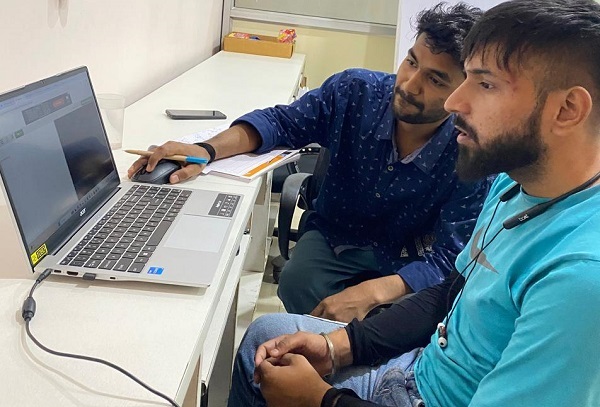
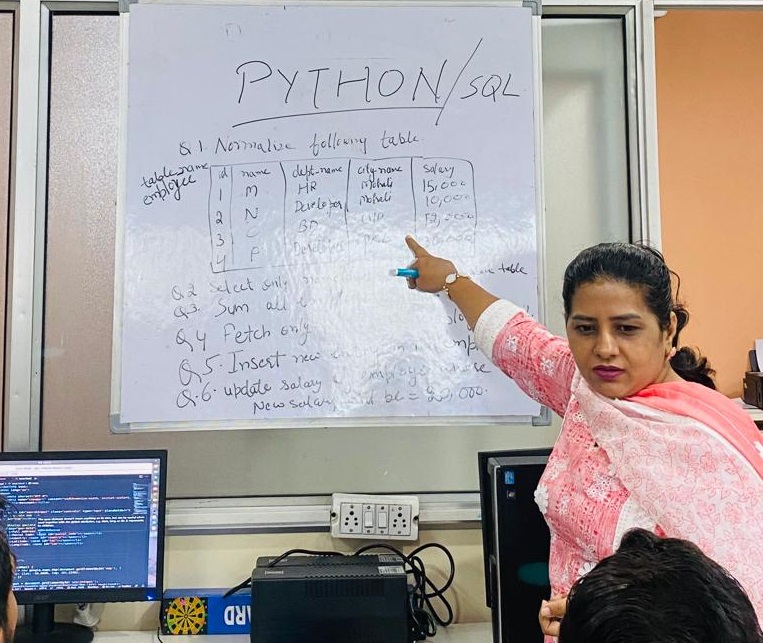
Mentor-Led Web Designing Classroom Training

Students practice code, responsive layouts, UI planning, debugging, GitHub and project presentation with direct mentor guidance.

Support During the Course

  • HTML5 and CSS3 code guidance
  • Flexbox, Grid and responsive-layout support
  • Bootstrap grid and component practice
  • JavaScript interaction guidance
  • Figma and UI/UX feedback
  • GitHub, testing and project review
Ask About Classroom Training

Classroom Learning at Zestminds Academy

3 months web designing classroom training at Zestminds Academy Mohali
Offline web design course at Zestminds Academy Mohali

Fee, Batches and Mohali Campus Details

Review the essential program information before booking counselling.

3-Month Web Design Course Details

  • Duration: 3 Months
  • Fee: Confirm current fee during counselling
  • Mode: Offline classroom training
  • Morning Batch: 10:00 AM–1:00 PM
  • Afternoon Batch: 2:00 PM–5:00 PM
  • Seat Availability: Confirm during counselling
  • Required: Personal laptop for code, Figma, GitHub and project work
Check Batch Availability

Mohali Campus — Serving Chandigarh Tricity

Address:
E-45, Industrial Area, Phase 8, Mohali

Students from Chandigarh, Panchkula, Kharar, Zirakpur and nearby Tricity areas can attend the offline program at the Mohali campus.

Looking for a shorter foundation or a six-month major-project track?

Compare All Web Design Programs

3 Months Web Designing Training FAQs

Quick answers for students and parents before joining the course.

What is the fee and duration?

The course duration is 3 months. The syllabus asks students to confirm the current fee and seat availability during counselling.

Is the course online or offline?

It is an offline classroom program conducted at Zestminds Academy’s Mohali campus.

Can complete beginners join?

Yes. The program begins with HTML5 and CSS3 foundations before moving into responsive layouts, Bootstrap, JavaScript basics, Figma and GitHub.

Do I need coding experience?

No. Prior coding experience is not required. The course begins with website structure, semantic HTML and CSS styling.

What tools and topics are covered?

The course covers HTML5, CSS3, Flexbox, Grid basics, Bootstrap, JavaScript basics, Figma, UI/UX, Git and GitHub.

Will students complete a project?

Yes. Students receive guidance to build a responsive starter portfolio website, test it and upload it to GitHub.

How is this different from the 45-day course?

The 3-month program provides deeper HTML/CSS practice, Bootstrap, JavaScript basics, Figma, UI/UX, GitHub and a broader portfolio website project.

Can Chandigarh and Panchkula students join?

Yes. Students from Chandigarh, Panchkula and nearby Tricity areas can attend classes at the Mohali campus.

Start Your 3-Month Web Designing Training

Build structured web-design skills through HTML5, CSS3, Bootstrap, JavaScript basics, Figma, GitHub and a starter portfolio website.

Fee: Confirm during counselling   |   Mode: Offline   |   Location: Mohali Campus

Enroll Now

Fill the form and our training counsellor will contact you shortly.

Book Free IT Career Counselling

Fill the form and our training counsellor will contact you shortly to book your free counselling appointment.