Python Scripts vs Applications: Difference, Examples, and Real Project Structure
Most students searching for Python scripts vs Python applications are not looking for a dictionary-style definition. They want to understand when a simple script is enough, when the same code starts becoming difficult to manage, and when it needs proper application structure.
This guide explains the difference with beginner-friendly examples, app.py, main.py, reusable logic, error handling, logging, project structure, and real software development thinking.


Quick Answer: Python Script vs Python Application
A Python script is a small, task-focused program usually written for direct execution. It is useful for automation, file processing, quick testing, simple reports, and local helper tasks.
A Python application is a more structured program designed to support a larger workflow or system. It usually separates input, processing, output, configuration, logging, and error handling so the code can be reused, tested, maintained, and extended.
A script solves a task.
An application supports a system.
Writing scripts is not a bad habit. In fact, scripts are often the best starting point. The real skill is knowing when script-style code is enough and when the code has grown enough to need application-level structure.
Learning Python basics but confused about real project structure?
At Zestminds Academy, students practise Python through assignments, debugging, project-style exercises, and mentor guidance so they can move from syntax to real project thinking.
Book Free Python Career CounsellingPython Script vs Application at a Glance
The difference becomes clearer when you compare how script-style code and application-style code behave as requirements grow.
| Point | Python Script | Python Application |
|---|---|---|
| Main purpose | Complete one specific task | Support a larger workflow or system |
| Code style | Often one file and top-to-bottom | Structured with functions, modules, and clear responsibilities |
| Reuse | Usually limited | Logic can be reused in APIs, dashboards, automation tools, or services |
| Configuration | Values are often hardcoded | Settings are separated from core logic |
| Debugging | Mostly print statements | Logging and error handling make issues easier to trace |
| Testing | Harder when everything is mixed together | Easier when input, processing, and output are separated |
| Best use | Small automation, file cleanup, local reports, quick API testing | Backend APIs, automation tools, dashboards, AI backends, deployment-ready projects |
| Main risk | Can become messy when features grow | Can become over-engineered if structure is added too early |
A script is not weak by default. It becomes difficult only when it is forced to behave like a growing application without proper structure.
Is app.py a Script or an Application File?
Many beginners see a file named app.py in Flask tutorials, API examples, and small web projects. This creates a common question: is app.py a script or an application?
The answer depends on how the file is used.
In a very small project, app.py may behave like a script because you run it directly and keep most logic inside one file. But in a web project, app.py often works as the application entry file. It may create the app object, register routes, load configuration, and start the application flow.
| Situation | How app.py Behaves | Example |
|---|---|---|
| Small Flask demo | Mostly script-style | All routes and logic are kept in one file |
| Growing Flask project | Application entry file | Routes, services, config, and database logic move into separate files |
| Production-style project | Part of a larger application structure | app.py may initialize the app while other modules handle business logic |
So app.py is not automatically “just a script” or “a full application.” The structure around it decides how mature the project is.
What Is main.py Used For in Python Projects?
A file named main.py is commonly used as the starting point of a Python program. It usually controls the flow of execution and calls functions from other files.
For beginners, this is an important shift. Instead of writing everything directly in one file, main.py can act like a controller that connects different parts of the project.
student_report/
  main.py
  reader.py
  processor.py
  writer.py
  config.py
In this structure:
main.pycontrols the program flow.reader.pyreads data from files or other sources.processor.pyapplies business logic.writer.pyhandles output.config.pystores changeable values.
This does not mean every beginner project needs many files. It means that when the project starts growing, main.py can help keep the execution flow clean.
What Does if __name__ == "__main__" Mean?
Beginners often copy this line without understanding it:
if __name__ == "__main__":
    main()
This condition checks whether the file is being run directly. If it is run directly, Python calls the main() function. If the file is imported into another file, the code inside this block does not run automatically.
This is useful because the same file can contain reusable functions and still have a safe execution point.
def calculate_result(marks):
    return "Pass" if marks >= 40 else "Fail"


def main():
    result = calculate_result(78)
    print(result)


if __name__ == "__main__":
    main()
Here, calculate_result() can be imported and reused somewhere else without automatically printing output. That is one small but important step toward application-level thinking.
Script vs Module vs Package in Python
To understand Python project structure properly, students should also understand the difference between a script, module, and package.
| Term | Meaning | Beginner Example |
|---|---|---|
| Script | A Python file usually run directly to complete a task | clean_csv.py reads and cleans one CSV file |
| Module | A Python file that contains reusable code and can be imported | calculator.py contains functions used by another file |
| Package | A folder that groups related modules together | student_report/ contains reader, processor, and writer modules |
This is where students start moving from “I can write Python code” to “I can organize Python code.” For a deeper foundation, read our guide on Python Development Environment Setup for Real Projects.
When a Python Script Is Enough
A Python script is the right choice when the task is small, focused, local, and unlikely to grow into a larger system. Good developers do not over-engineer simple work.
| Use a Python Script When | Why a Script Works Well | Example |
|---|---|---|
| One-time automation | The task needs to be completed once or occasionally | Rename files in a folder |
| File cleanup | The input and output are simple | Clean one CSV file |
| Small report generation | The logic is limited | Generate a local marks or sales report |
| Quick API testing | You only need to inspect a response | Call an API and print JSON |
| Local experiments | You are testing an idea before building something larger | Try a data processing approach |
| Internal helper task | The code is used by one person or a small team | Prepare test data or convert files |
A script is enough when the problem is small, the input is predictable, and the code is not expected to become part of a larger workflow.
When Script Thinking Starts Failing
Script thinking starts failing when the code grows but the structure does not. The script may still run, but it becomes harder to understand, reuse, test, debug, and maintain.
| Warning Sign | What It Means | What the Code Needs |
|---|---|---|
| The same logic is copied repeatedly | The code is no longer solving only one small task | Reusable functions or modules |
| More input types are added | The script is handling changing requirements | Clear input handling and validation |
| Multiple files need to be processed | The workflow is becoming larger | Better data flow and separation |
| API or database connection is introduced | The code is interacting with external systems | Configuration, error handling, and service logic |
| Errors are difficult to trace | Print statements are no longer enough | Logging and planned error handling |
| The code needs to run on a server | The script is moving toward production use | Deployment-ready structure |
| Another developer needs to maintain it | The code must be readable beyond the original writer | Clear naming, structure, and responsibility |
When Should You Convert a Python Script Into an Application?
You do not need to convert every script into an application. But you should start refactoring when the code begins supporting a larger workflow.
Use this checklist:
- The script is reused regularly.
- The same logic is copied into multiple files.
- The script now handles different input types.
- The code connects to an API, database, or third-party service.
- You need proper logs instead of only print statements.
- Another student, trainer, teammate, or developer needs to understand the code.
- You want to upload the project to GitHub and explain it in interviews.
- The code may later become an API, dashboard, automation tool, or backend service.
At this point, your goal is not to make the code look complicated. Your goal is to make responsibility clear.
Application-Level Thinking in Python
Application-level thinking begins when you start designing the flow of the program. A clean program has predictable movement of data.
Input → Validation → Processing → Output
Separate Input, Processing, and Output
A common beginner mistake is mixing everything together: reading input, converting values, applying business logic, printing output, and handling errors in one place. That may work for a small task, but it becomes difficult to reuse.
A better approach is to keep input handling, validation, processing, and output separate. If the input later changes from CSV to API, your processing logic should not need a full rewrite.
Move Logic Into Functions and Modules
Functions are not only for reducing code length. In real projects, functions create boundaries. A function should have a clear responsibility.
calculate_result(marks)
This function should calculate the result. It should not read files, print reports, or connect to a database.
If you are still weak in Python basics, first revise Python variables and data types. If you already know basics and want to move toward project building, read Python from Core Syntax to Real Projects.
Use Configuration Instead of Hardcoding
Hardcoded values are common in scripts. For a quick local script, this is fine. For an application, these values may need to change depending on environment, user, system, or business rule.
file_path = "students.csv"
passing_marks = 40
Configuration helps separate changeable values from core logic. In larger projects, configuration may come from constants, settings files, environment variables, deployment configuration, or database settings.
Handle Errors Properly
Real Python applications do not receive perfect input every time. Files, APIs, databases, and user data can fail in different ways. Application-level code should make these failures easy to understand.
| Real Situation | What Can Go Wrong | Application-Level Handling |
|---|---|---|
| File input | The file may be missing or renamed | Check whether the file exists and show a clear error |
| CSV data | Expected columns may be missing | Validate required columns before processing |
| User or student marks | A value may be empty or invalid | Handle conversion errors and report invalid records |
| API response | The API may fail or timeout | Handle response errors and log what happened |
| Database connection | The database may be unavailable | Catch expected errors and keep the failure traceable |
This becomes more important as projects grow. Students should also understand Python runtime, references, and mutability, because many issues appear only when real data reaches the program.
Think About Testing Early
Testing becomes easier when logic is separated clearly. A calculation function can be tested without reading a CSV file, calling an API, or printing output. Good structure makes testing easier even before you write formal tests.
Want to practise Python project structure with trainer guidance?
Zestminds Academy’s helps learners move from basic syntax to assignments, debugging, reusable logic, GitHub projects, and project-style exposure.
Script-Style Example
Let us take a practical example. Suppose you have a CSV file named students.csv.
name,marks
Aman,78
Riya,35
Karan,62
Neha,91
You want to read the file, check whether each student passed or failed, and print the report. A script-style version may look like this:
import csv

file_path = "students.csv"
passing_marks = 40

with open(file_path, "r", newline="", encoding="utf-8") as file:
    reader = csv.DictReader(file)

    for row in reader:
        name = row["name"]
        marks = int(row["marks"])

        if marks >= passing_marks:
            status = "Pass"
        else:
            status = "Fail"

        print(f"{name} scored {marks}: {status}")
This code is not wrong. For a small local task, it works. It reads the CSV file, converts marks into an integer, checks the pass/fail condition, and prints the result.
But file reading, data conversion, business logic, and output are all mixed together. If the file is missing, the program fails. If marks contain invalid data, the program fails. If you want to reuse the pass/fail logic inside an API, you cannot easily reuse it without pulling it out.
The script solves the immediate task, but it is not ready to support a growing system.
Refactoring the Same Logic with Application Thinking
Now let us refactor the same logic. We will not make it overly advanced. We will keep it simple, but we will separate responsibilities.
import csv
import logging
from pathlib import Path
from typing import Any


logging.basicConfig(
    level=logging.INFO,
    format="%(levelname)s: %(message)s"
)

CSV_FILE_PATH = Path("students.csv")
PASSING_MARKS = 40


def read_students(file_path: Path) -> list[dict[str, str]]:
    """
    Read student records from a CSV file.
    This function handles input only.
    """
    if not file_path.exists():
        raise FileNotFoundError(f"CSV file not found: {file_path}")

    with file_path.open("r", newline="", encoding="utf-8") as file:
        reader = csv.DictReader(file)

        required_columns = {"name", "marks"}
        if not reader.fieldnames or not required_columns.issubset(reader.fieldnames):
            raise ValueError("CSV must contain 'name' and 'marks' columns")

        return list(reader)


def calculate_result(marks: int, passing_marks: int) -> str:
    """
    Apply pass/fail business logic.
    """
    return "Pass" if marks >= passing_marks else "Fail"


def generate_report(
    students: list[dict[str, str]],
    passing_marks: int
) -> list[dict[str, Any]]:
    """
    Process student records and return structured report data.
    This function does not print directly.
    """
    report = []

    for student in students:
        try:
            name = student["name"].strip()
            marks = int(student["marks"])
            status = calculate_result(marks, passing_marks)

            report.append({
                "name": name,
                "marks": marks,
                "status": status
            })

        except ValueError:
            logging.warning("Invalid marks value skipped: %s", student)

        except KeyError as error:
            logging.warning("Missing expected field %s in row: %s", error, student)

    return report


def print_report(report: list[dict[str, Any]]) -> None:
    """
    Handle terminal output.
    Output is separate from processing.
    """
    for item in report:
        print(f"{item['name']} scored {item['marks']}: {item['status']}")


def main() -> None:
    """
    Program entry point.
    Controls the overall execution flow.
    """
    try:
        logging.info("Student report generation started")

        students = read_students(CSV_FILE_PATH)
        report = generate_report(students, PASSING_MARKS)
        print_report(report)

        logging.info("Student report generation completed")

    except FileNotFoundError as error:
        logging.error(error)

    except ValueError as error:
        logging.error(error)


if __name__ == "__main__":
    main()
What Changed
The first version mixed everything together. The refactored version separates responsibility:
read_students()      → input handling
calculate_result()   → business logic
generate_report()    → data processing
print_report()       → output handling
main()               → execution flow
We are not just writing code that runs. We are designing a flow that can be understood, reused, tested, and changed.
Why It Matters
The function generate_report() returns structured data. That means the report is not locked to terminal output. Later, the same report could be returned from an API, saved into a database, shown in a dashboard, exported to Excel, or used inside an automation job.
The pass/fail logic is separate, so calculate_result() can be tested without reading a CSV file. The input logic is separate, so the source can later change from CSV to API with less rework.
How This Could Grow Later
If this code grows further, it may be split into a small Python project structure:
student_report/
  main.py
  config.py
  reader.py
  processor.py
  writer.py
  README.md
This is a simple Python application structure. It is not about making the project look big. It is about keeping each file responsible for one clear part of the workflow.
Do not split code into many files just to look professional. Split code when responsibilities are becoming unclear.
Beginner Python Project Structure Example
Here is a simple way to think about project growth:
| Stage | Structure | When It Is Useful |
|---|---|---|
| Stage 1 | report.py |
One small script for one clear task |
| Stage 2 | main.py with functions |
The file is growing but still manageable |
| Stage 3 | main.py, reader.py, processor.py, writer.py |
Input, processing, and output need separation |
| Stage 4 | Package-based project | The project has multiple workflows, tests, config, or deployment needs |
Students often think real project structure means using many folders from the beginning. That is not true. Real project structure means the code is easy to understand, change, debug, and explain.
Common Mistakes Students Make
Students usually do not struggle because they cannot write Python. They struggle when growing code is still written like a small script.
| Mistake | Why It Becomes a Problem | Better Developer Habit |
|---|---|---|
| Keeping all logic in one file | Reading, validation, calculations, formatting, and output become mixed together | Separate responsibilities into functions or modules when code grows |
| Hardcoding paths and values | File paths, API URLs, limits, and business rules become difficult to change | Move changeable values into configuration |
| Mixing input, processing, and output | The code becomes difficult to reuse or test | Keep input logic, processing logic, and output logic separate |
| Ignoring error cases | Files, APIs, databases, and real data can fail unexpectedly | Handle expected failure cases clearly |
| Copying project structure without understanding it | The project looks professional but remains confusing | Understand responsibility before adding folders |
The core mistake is not writing scripts. The core mistake is keeping growing code in script mode after it clearly needs application-level structure.
Where This Mindset Applies in Real Python Projects
The difference between Python scripts vs applications appears in almost every serious Python development path. Once Python code becomes part of a backend, automation tool, AI system, dashboard, or deployed project, structure becomes important.
Backend APIs with FastAPI, Django, and Flask
In FastAPI, beginners often start with all routes in one file. That is fine for learning, but real APIs usually need routes, schemas, services, database logic, authentication, configuration, and error handling.
Django gives a project structure by default, but students still need to understand where logic belongs. Flask is more flexible, so beginners often keep everything in app.py until the project grows.
Automation Tools That Grow Beyond Scripts
Many automation projects begin as small scripts. A simple script may read files, process data, call an API, send an email, or update a report.
When the same automation needs scheduling, retries, logs, configuration, notifications, database updates, or server execution, it is becoming an internal tool that needs application-level structure.
AI Chatbot and LLM Backends
AI applications need structure quickly because many parts work together, such as user query handling, prompt building, document retrieval, vector search, memory, fallback handling, API routes, and logging.
If you are interested in this direction, read AI Agents Are Growing Fast: What Python Students Should Actually Learn First before jumping into advanced frameworks.
Deployment-Ready Python Projects
Deployment changes everything. Code running on your laptop can survive weak structure for some time. Code running on a server cannot.
Deployment-ready projects usually need configuration, logging, error handling, predictable execution, dependency management, and clean project structure.
How This Helps Freshers in GitHub Projects and Interviews
Freshers often make the mistake of uploading only simple one-file scripts to GitHub and calling them projects. That is fine in the early stage, but interview-ready projects should show better thinking.
A stronger Python project on GitHub should show:
- Clear file names
- Functions with single responsibility
- A clean
main.pyor entry point - Basic error handling
- Configurable values instead of hardcoded values everywhere
- A README explaining what the project does and how to run it
- A clear explanation of how the code can grow later
In interviews, this helps you explain your work better. Instead of saying, “I made a Python project,” you can say:
I started with a simple script, then refactored it by separating input, processing, and output. I added error handling and a main entry point so the logic can be reused later in an API, dashboard, or automation workflow.
That kind of explanation sounds more mature because it shows development thinking, not only syntax knowledge.
Want to build Python projects you can explain in interviews?
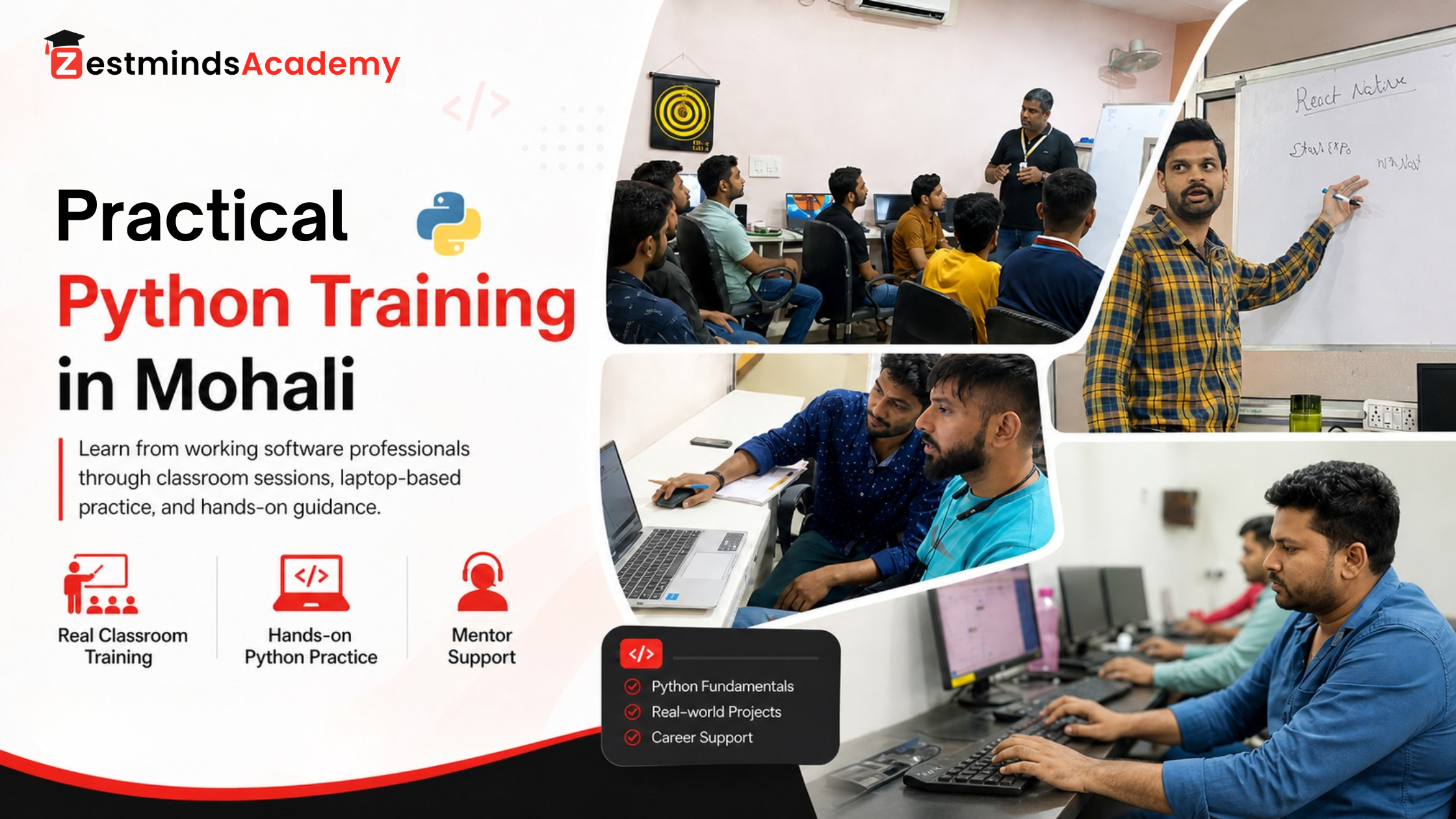
Our practical Python training in Mohali focuses on coding tasks, real examples, debugging, project-style assignments, and mentor feedback for students and freshers.
Book Free Career CounsellingPractice Task
Take a small Python script you have already written, such as a CSV reader, file automation script, report generator, API test script, or data cleanup script. Refactor it into a mini-application style structure.
Your goal is not to make it large. Your goal is to make responsibility clear.
- Move reading logic into one function.
- Move processing logic into another function.
- Return structured data instead of only printing output.
- Add basic error handling.
- Use configurable values instead of hardcoded values.
- Add a
main()function. - Add a safe execution entry point using
if __name__ == "__main__". - Add a README explaining what changed and why.
If the refactored code can later support an API, dashboard, automation job, or test case more easily, you have started moving from script writing to application thinking.
Related Python Guides to Read Next
If you are building your Python foundation step by step, these guides will help you connect basics with real project work:
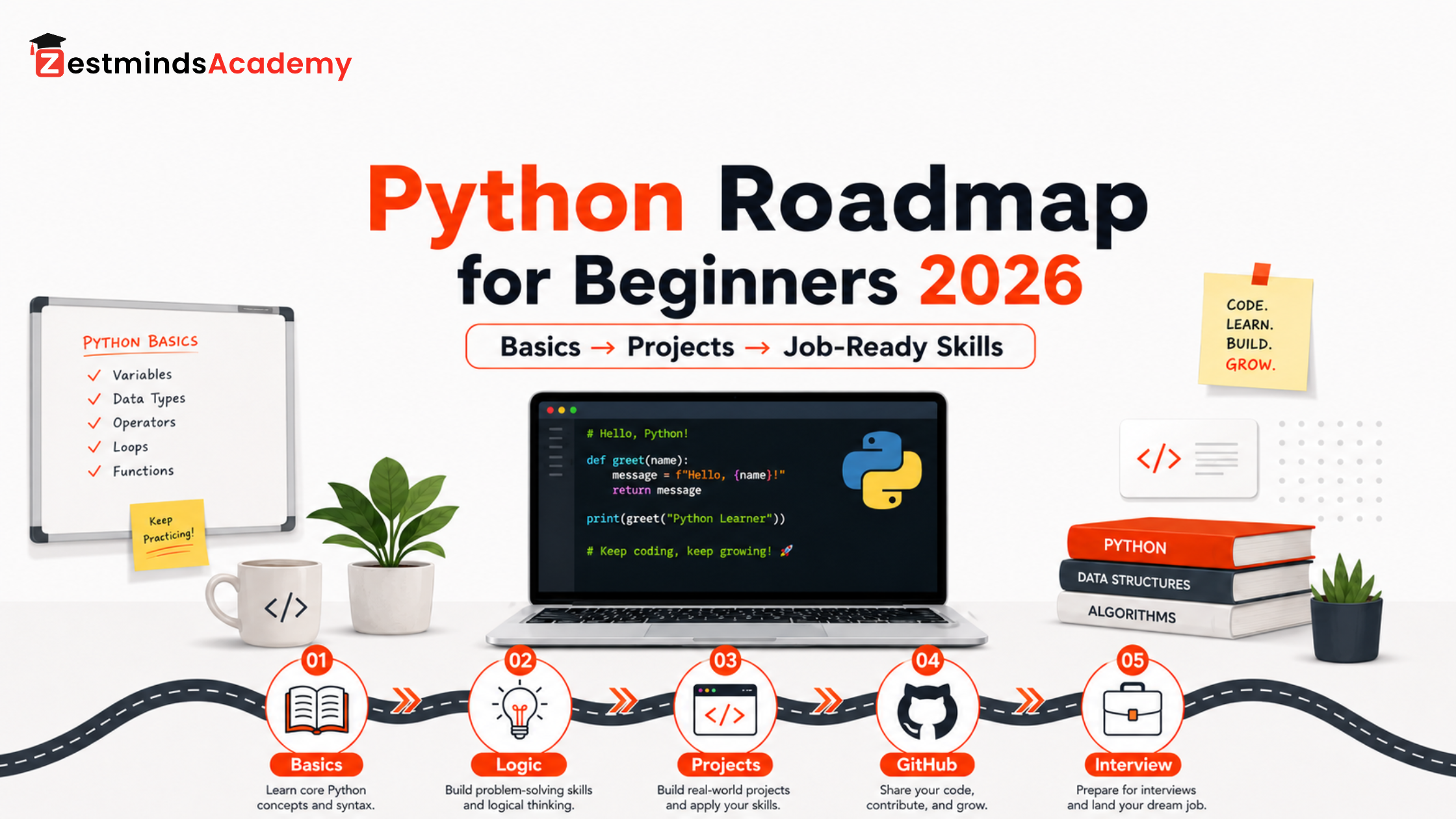
- Python Roadmap for Beginners 2026: Step-by-Step Path to Job-Ready Skills
- Python Development Environment Setup for Real Projects
- Python Variables and Data Types Explained: The Memory Mistake Most Beginners Miss
- Python Runtime, References, and Mutability: How Objects Really Behave
- Python from Core Syntax to Real Projects: How to Start Building Practical Applications
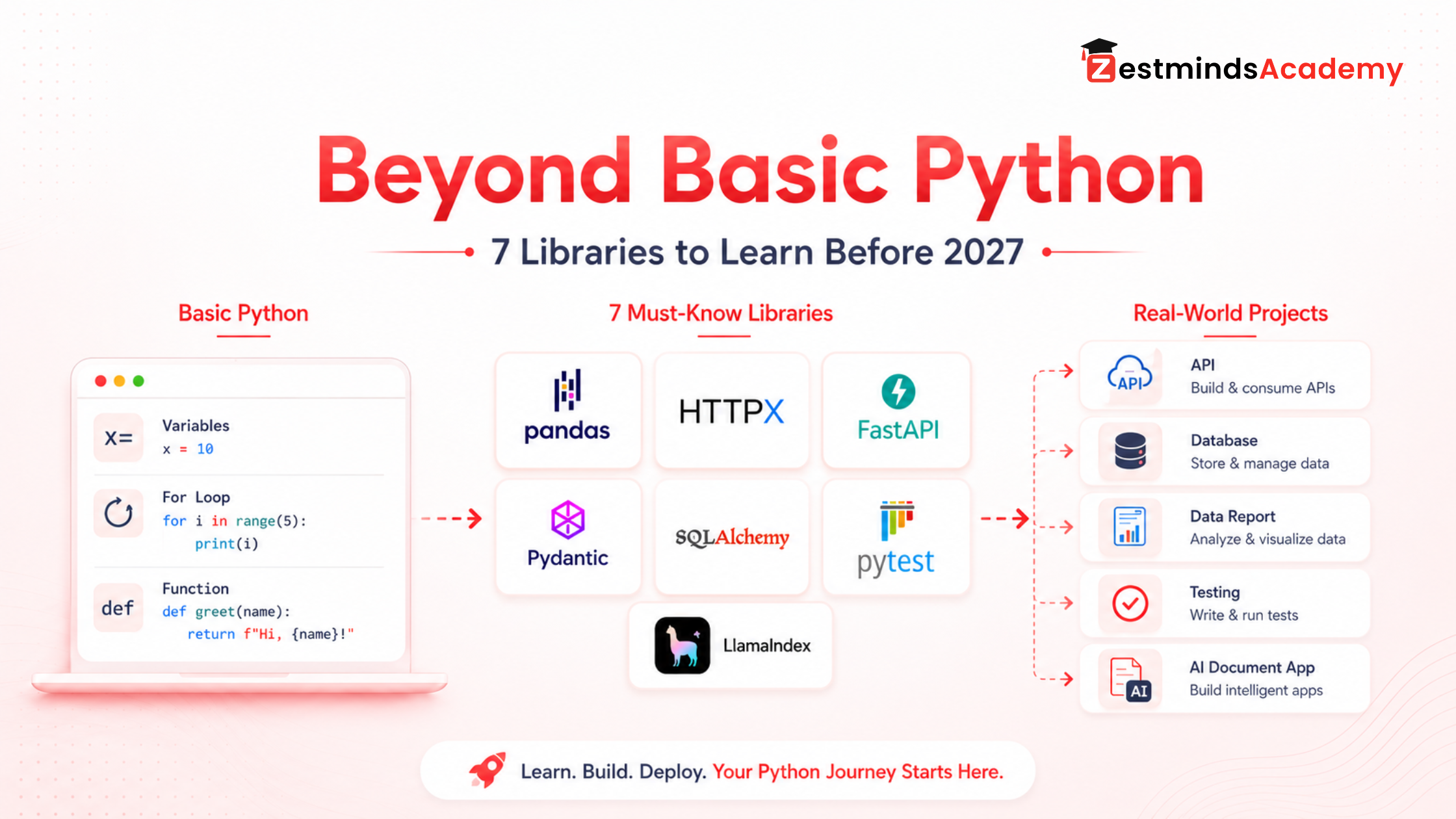
- Beyond Basic Python: 7 Libraries to Learn Before 2027 for Real-World Projects
- AI Agents Are Growing Fast: What Python Students Should Actually Learn First
- Python Course Fees in Mohali: Duration, Scope & Projects
FAQs
What is the main difference between a Python script and a Python application?
The main difference is purpose and structure. A Python script usually completes one focused task, such as reading a file, testing an API, or automating a small workflow. A Python application supports a larger system and usually needs reusable logic, configuration, logging, error handling, testing, and maintainable structure.
Is writing Python scripts a bad habit?
No, writing Python scripts is not a bad habit. Scripts are useful for small automation tasks, file cleanup, quick testing, data conversion, and local experiments. The problem starts when a script keeps growing but the code structure does not improve.
What does app.py mean in Python?
In many Python web projects, especially Flask projects, app.py is commonly used as the application entry file. It may create the app object, define routes, load configuration, and start the application flow.
Is app.py a script or an application?
It depends on the project. In a small demo, app.py may behave like a simple script. In a structured web project, app.py often becomes part of a larger application structure with routes, services, configuration, and reusable logic.
What is main.py used for in Python projects?
main.py is commonly used as the starting point of a Python program. It controls the execution flow and calls functions or modules from other files.
What does if __name__ == "__main__" mean?
It checks whether the file is being run directly. If the file is run directly, the main function runs. If the file is imported into another file, that execution block does not run automatically.
What is the difference between a script, module, and package in Python?
A script is usually run directly to complete a task. A module is a Python file that contains reusable code and can be imported. A package is a folder that groups related modules together.
When should I convert a Python script into an application?
You should start thinking like an application developer when the script is reused often, handles multiple inputs, connects to APIs or databases, needs proper error handling, runs on a server, or must be maintained by another developer.
Does every Python application need many files and folders?
No. A small Python application can start as one clean file with well-separated functions. Multiple files and folders become useful when they reduce confusion and separate responsibilities clearly.
Can a Python application be a single file?
Yes. A small Python application can be a single file if the functions are clean, responsibilities are separated, and the program has a clear entry point. Multiple files are needed only when they reduce confusion.
Is a Flask, Django, or FastAPI project a Python application?
Yes. Flask, Django, and FastAPI projects are usually Python applications because they support larger workflows such as routes, APIs, services, database logic, validation, authentication, configuration, and error handling.
Why should freshers learn Python project structure?
Freshers should learn Python project structure because it helps them write cleaner code, build better GitHub projects, explain their work in interviews, and move from basic scripts to real development thinking.
How should I show a Python application project on GitHub?
Use clear file names, add a README, explain how to run the project, keep logic in functions or modules, include error handling, and describe how the project can grow later.
What should I learn after understanding Python scripts vs applications?
After understanding this difference, learn Python imports and modules, project structure, error handling, type hints, testing basics, backend APIs, libraries, and deployment-ready project organization.
Final Thought
A script solves a task. An application supports a system. Both are useful.
The goal is not to avoid scripts. The goal is to understand when Python code needs engineering structure. When the code starts growing, repeating, connecting to other systems, handling errors, supporting users, or preparing for deployment, start thinking like an application developer.
If you already know Python basics and want to learn how backend APIs, automation tools, AI applications, and deployment-ready projects are built with proper structure, Zestminds Academy’s Python training can help you practise these concepts with trainer guidance and project-style work.
Table of Contents
- Quick Answer
- Script vs Application at a Glance
- Is app.py a Script or Application File?
- What Is main.py Used For?
- What Does __main__ Mean?
- Script vs Module vs Package
- When a Python Script Is Enough
- When Script Thinking Starts Failing
- When to Convert a Script Into an Application
- Application-Level Thinking
- Script-Style Example
- Refactoring Example
- Beginner Project Structure
- Common Mistakes
- Real Python Projects
- GitHub and Interview Use
- Practice Task
- Related Python Guides
- FAQs
- Final Thought
Shivam Sharma
Stay Ahead with Expert Insights & Trends
Explore industry trends, expert analysis, and actionable strategies to drive success in AI, software development, and digital transformation.
Begin Your Journey to a Successful Tech Career
Talk to our mentors and choose the right training program.
Call us: +91-9056277961
Email us: hello@zestmindsacademy.com